Accredited Is Now in ChatGPT: How to Find a Business to Buy From the Chat

TL;DR: Accredited is now listed in the ChatGPT plugin directory. Once you install it and sign in with your Accredited Pro account, you can ask ChatGPT to search businesses for sale from 7,500+ brokerages, source off-market businesses in any industry and area, run deep dives that find the owner and estimate value, export results to a spreadsheet, and save businesses to your Accredited pipeline. ChatGPT always shows you the credit cost and asks before it spends any. Setup takes about two minutes: open Plugins in ChatGPT, search for Accredited, click Install plugin, and sign in.
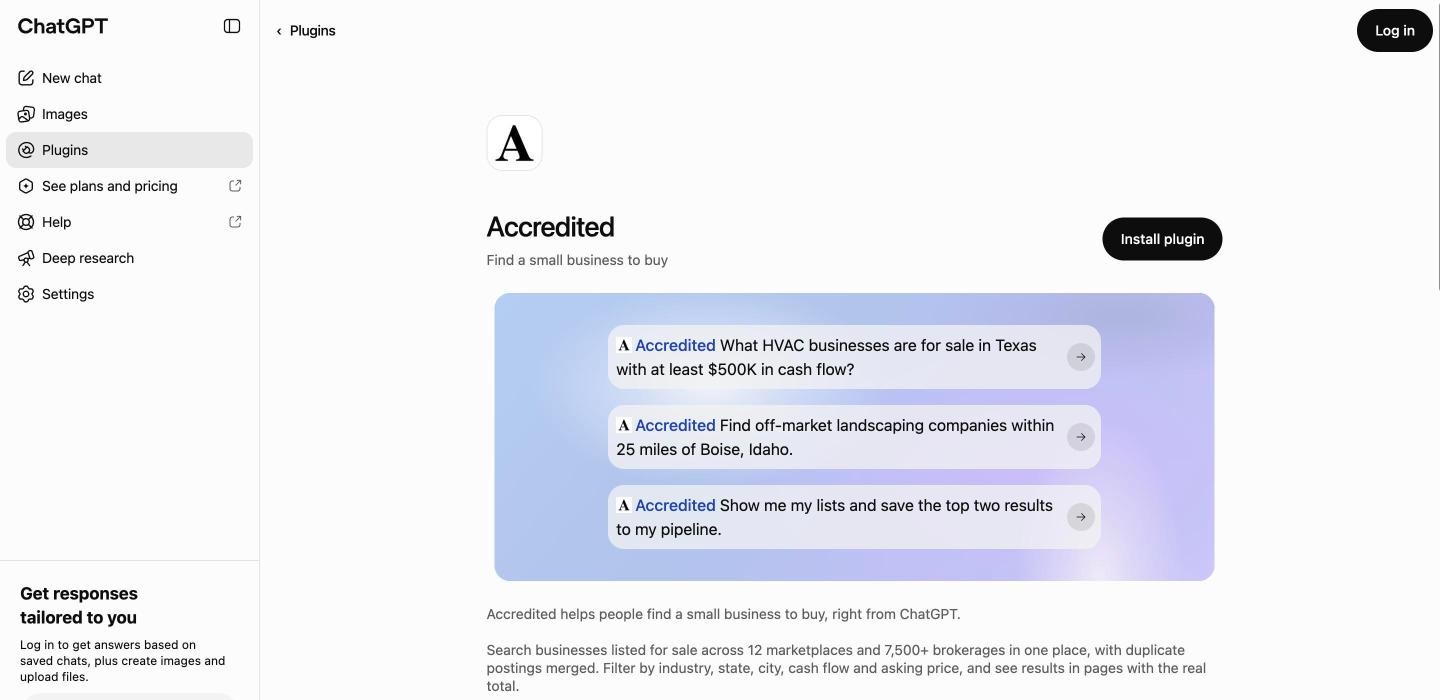
Can ChatGPT find businesses for sale?
On its own, not reliably. When you ask ChatGPT what businesses are for sale, it searches the web, which means it sees a handful of listing pages that happen to rank, often out of date, with the same business counted two or three times because brokers post it to several sites. It has no way to see the whole market, and it has no way to find businesses whose owners have not listed them.
With the Accredited plugin, ChatGPT searches Accredited's index instead: 52,000+ businesses for sale in the US, pulled from 7,500+ brokerage websites, with duplicate postings merged so each business shows up once. You get the real total, results in pages, and a link to each business on Accredited. And for businesses that are not for sale yet, it can run Accredited's off-market sourcing.
What can you do with Accredited in ChatGPT?
Everything below runs on your own Accredited account, so whatever ChatGPT finds or saves is there when you open Accredited later.
- Search businesses for sale. Filter by industry, state, city, cash flow and asking price. Ask follow-ups in plain language ("only the ones under $2M", "which of these has the highest margin?") and ChatGPT narrows the results.
- Source off-market businesses. Name an industry and an area: a city and a radius around it, or a whole state. ChatGPT first shows an estimate of how many businesses the search will find and how many credits it may use, and only starts once you agree to a credit limit. Every result comes with an A to D acquisition fit grade, the address, and its Google rating and review count.
- Run deep dives. Pick the businesses you like and ChatGPT can run a valuation (estimated value, cash flow range and employee count) or a full deep dive that adds the owners and their contact details. It quotes the cost first and never spends credits without your yes.
- Export to a spreadsheet. Ask for the results as a file and you get a download link to an Excel sheet, good for one hour.
- Save to your pipeline. Save businesses to your Accredited deal pipeline or to a named list, or ask ChatGPT to create a new list for a search.
- Write to an owner. For a business you have deep-dived, ChatGPT can open Accredited's letter tool for that business, where you choose or write the letter, review it, and send it. ChatGPT never sends anything on its own.
How do you install the Accredited plugin in ChatGPT?
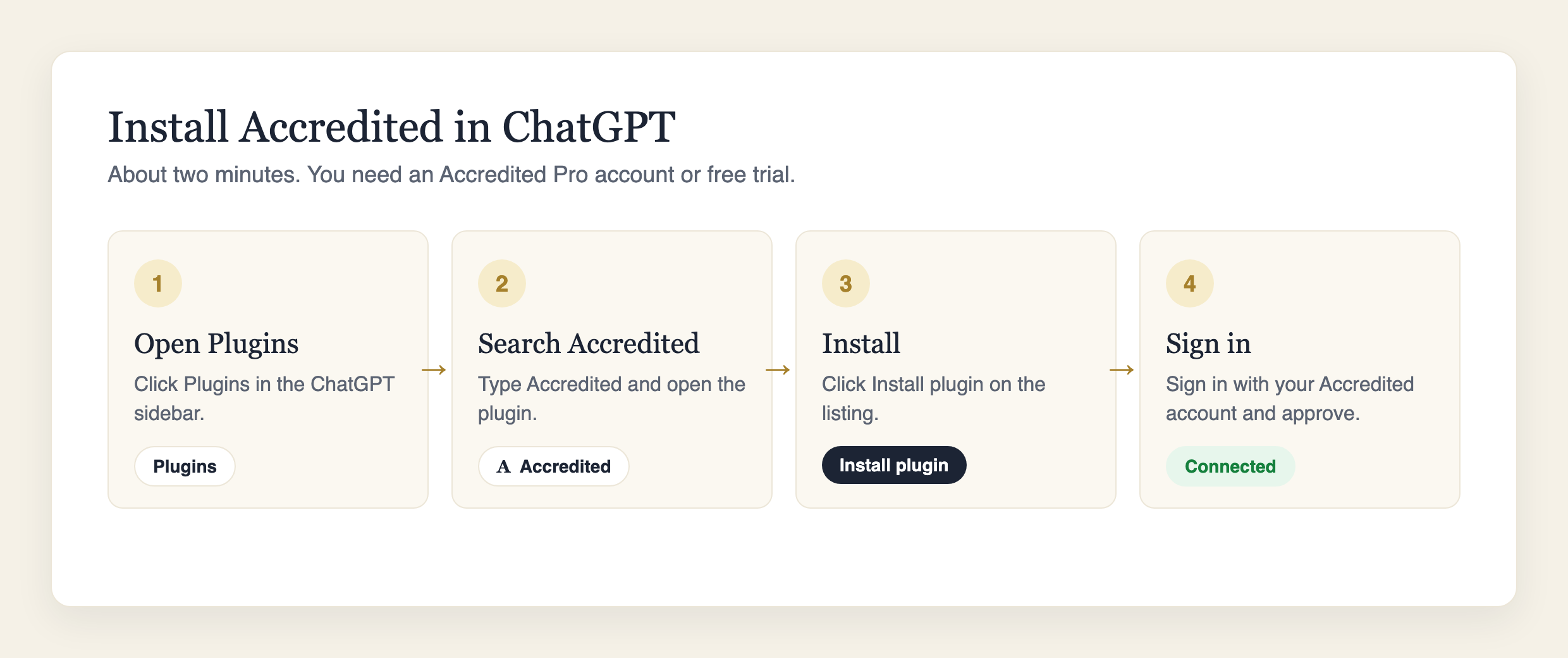
- Open Plugins. In ChatGPT, click Plugins in the left sidebar. Or skip steps 1 and 2 with this direct link: Accredited in the ChatGPT plugin directory.
- Search for Accredited. Type "Accredited" in the search box and open the plugin. Its icon is a black serif A.
- Click Install plugin.
- Sign in with your Accredited Pro account. ChatGPT sends you to Accredited's sign-in page. Sign in with the email you use for Accredited and approve the connection. You land back in ChatGPT, ready to go.
That is the whole setup. ChatGPT stays connected to your Accredited account until you remove the plugin, and if it ever needs you to sign in again, it will ask.
If you do not have Accredited Pro yet, start a free trial first. The trial includes the full monthly sourcing credits, so you can try off-market searches from ChatGPT before you pay anything.
How do you use it once it is installed?
Just ask. ChatGPT decides when to use Accredited based on what you ask for, so a question about buying a business usually goes straight to it. If ChatGPT answers from a web search instead, name the plugin: start with "Use Accredited to..." and it will.
Some prompts to start with:
- "What HVAC businesses are for sale in Texas with at least $500K in cash flow?"
- "Find off-market landscaping companies within 25 miles of Boise, Idaho."
- "Show me dental practices for sale in Florida with an asking price under $3M."
- "Source pool service companies within 20 miles of Phoenix, and keep it under 300 credits."
- "Run a full deep dive on the top five A-grade results."
- "Export those results to a spreadsheet."
- "Show me my lists and save the top two results to my pipeline."
- "Write a letter to the owner of the second one."
A good pattern is to start wide and narrow down in the same chat: search an industry and state, ask ChatGPT which results fit your budget and criteria, deep dive the short list, then save the winners to your pipeline. The conversation keeps context, so you never re-enter filters.
How does billing work, and what does ChatGPT spend?
The plugin is free to install and part of Accredited Pro. Searching businesses for sale, saving to your pipeline and managing lists do not use credits.
Off-market sourcing and deep dives use the same credits they use on Accredited. Pro includes 1,800 credits a month, during the trial too. ChatGPT always shows you the cost before it runs anything that uses credits, and asks you to confirm. For off-market searches it also asks you to set a limit, and the search stops there. If you run low, you add credits in your Accredited account, not in the chat.
Is my Accredited data safe in ChatGPT?
ChatGPT can only do what the plugin allows: search, source, deep dive, export, save to your pipeline and lists, and open a letter for you to review. It cannot send letters, change your plan, buy credits, or see your payment details. You sign in on Accredited's own page, so ChatGPT never sees your password. You can disconnect at any time by removing the plugin in ChatGPT.
What about Claude, Grok and other assistants?
The same connector works in other assistants. Accredited is in review for the Claude directory, and until it is listed you can add it to Claude, Grok or Perplexity as a custom connector in a few clicks. The steps for each are on our AI assistants page.
Frequently asked questions
Is there a ChatGPT plugin for buying a business? Yes. Accredited is listed in the ChatGPT plugin directory. It lets ChatGPT search 52,000+ businesses for sale from 7,500+ brokerages, source off-market businesses, run deep dives on owners and value, and save deals to your Accredited pipeline.
Is the Accredited ChatGPT plugin free? The plugin is free to install, and it works with an Accredited Pro account. Pro has a 7-day free trial that includes 1,800 sourcing credits, so you can try everything from ChatGPT first.
Can ChatGPT find off-market businesses? With the Accredited plugin, yes. Name an industry and an area and ChatGPT runs Accredited's off-market sourcing: it shows an estimate and the credit cost first, then returns operating businesses that are not listed for sale, each graded A to D for acquisition fit.
Can ChatGPT find the owner of a business? Yes, through an Accredited deep dive. A full deep dive finds the owners and their contact details, along with an estimated value and cash flow range. ChatGPT quotes the credit cost and asks before running one.
Will ChatGPT spend my credits without asking? No. Every action that uses credits shows the cost first and needs your confirmation, and off-market searches stop at the limit you set.
Does ChatGPT send letters to business owners for me? No. ChatGPT opens Accredited's letter tool for the business you pick. You choose or write the letter, review it, and send it yourself.
Where do the businesses for sale come from? Accredited indexes listings from 7,500+ brokerage websites and merges duplicate postings so each business appears once.
Why does ChatGPT sometimes search the web instead of using Accredited? ChatGPT picks a tool based on your wording. If it answers from the web, start your message with "Use Accredited to" and it will use the plugin.